
CompareTexts
Compare two passages and highlight what changed.
CompareTexts · Browser tool · Free browser tool · Browser on desktop
Free Open the tool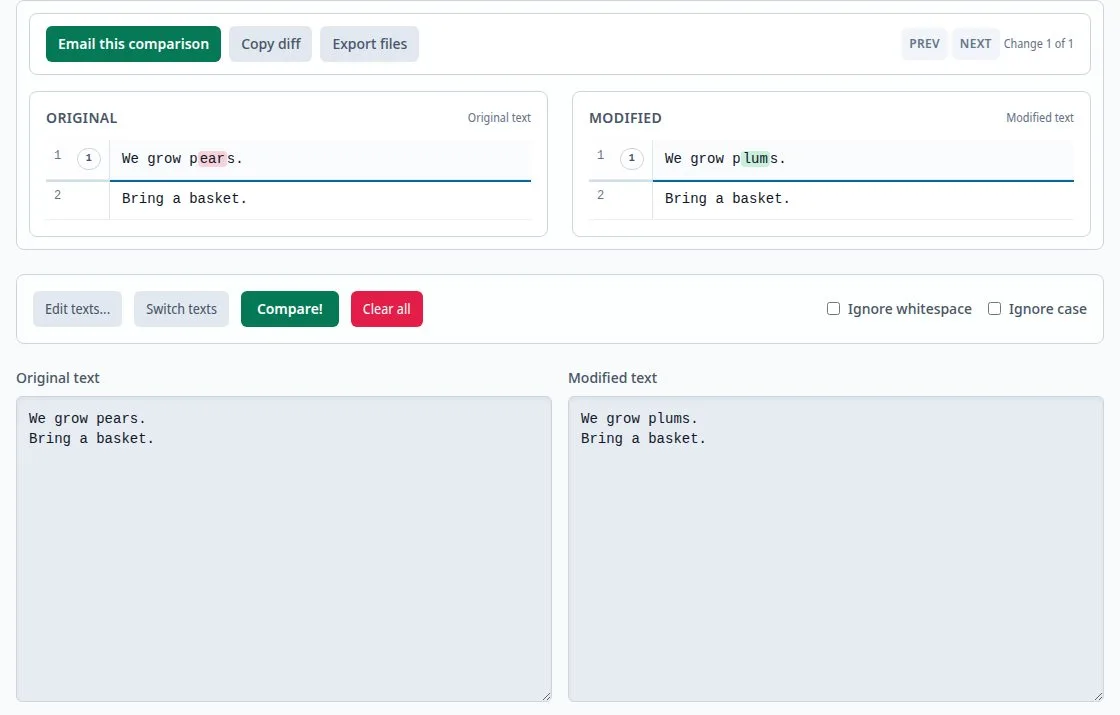
CompareTexts · Image credits and license
How to try it
- Paste two versions of a sentence, with one word changed.
- Choose Compare and look at the highlighted words.
Browser check: Compared one sample line containing pears with a version containing plums. The result panel showed both changed words and a nonzero change count.
Reviews
Rate this appMore to explore
- Sub & SuperscriptTurn plain text into characters that appear above or below the baseline.Free
- DillingerWrite Markdown and see the formatted page beside it.Open sourceFree
- ZenPenDraft a note in a quiet editor with basic formatting and a word target.Open sourceFree