
Sub & Superscript
Turn plain text into characters that appear above or below the baseline.
Sub & Superscript · Browser tool · Free browser tool · Browser on desktop
Free Open the tool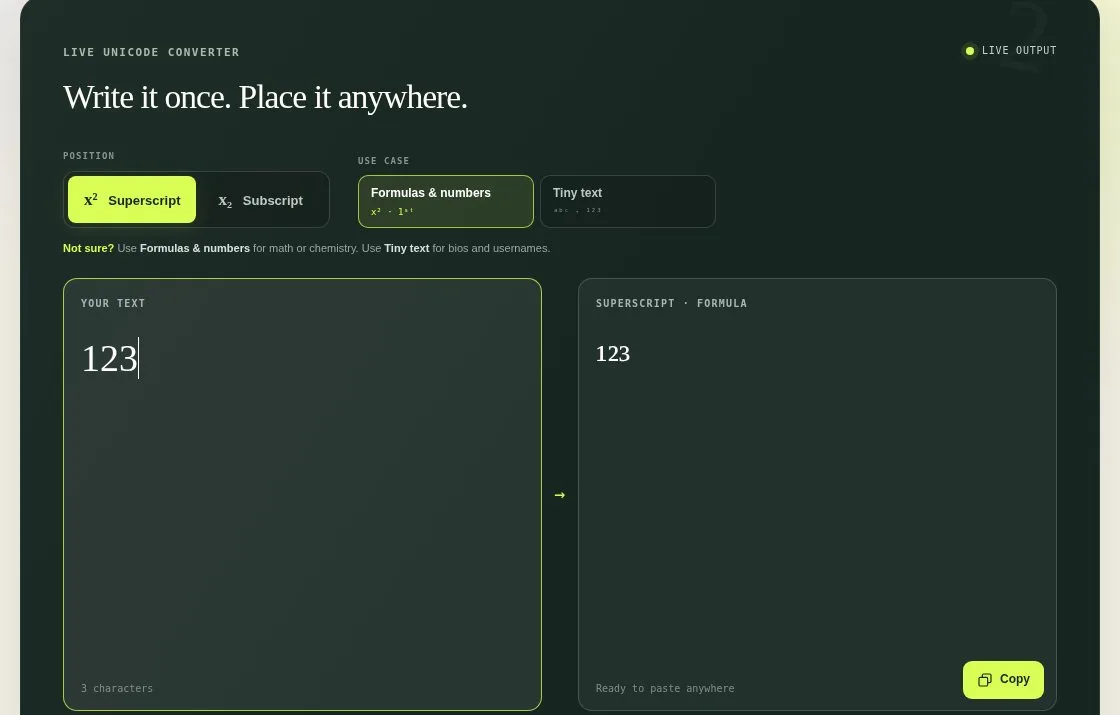
Sub & Superscript · Image credits and license
How to try it
- Select Superscript.
- Type 123 to generate the raised characters.
Browser check: Selected Superscript and entered 123. The result displayed the raised digits ¹²³.
Reviews
Rate this appMore to explore
- DillingerWrite Markdown and see the formatted page beside it.Open sourceFree
- ZenPenDraft a note in a quiet editor with basic formatting and a word target.Open sourceFree
- Rumi ke JawiConvert Malay written in Roman letters into Jawi script.Free