
ParseBloom
Convert a small XML document into JSON and inspect the result alongside the original.
ParseBloom · Browser tool · Free browser tool · Browser on desktop
Free Open the tool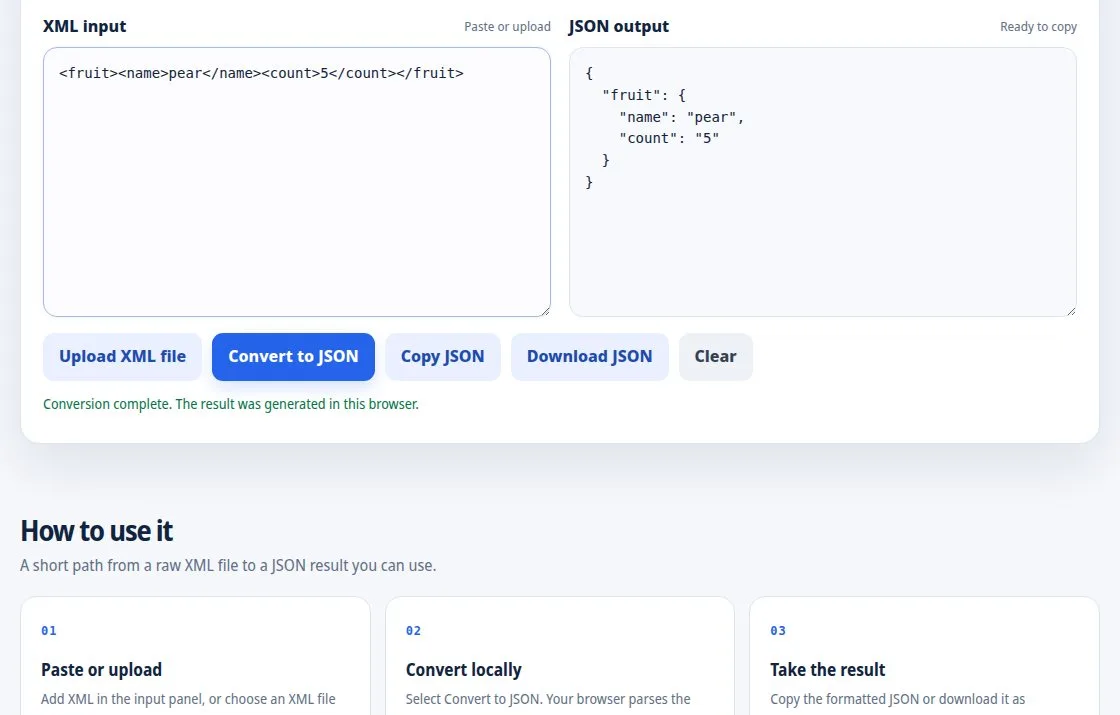
ParseBloom · Image credits and license
How to try it
- Paste a small XML example with a name and a number.
- Choose Convert to JSON and check the two values in the result.
Browser check: Converted an XML fruit record with name pear and count 5. The output parsed as JSON and preserved the name pear.
Reviews
Rate this appMore to explore
- Flexbox FroggyLearn CSS Flexbox by lining up frogs with lily pads.Free
- Grid GardenLearn CSS Grid by watering carrots in grid cells.Free
- regex101Build and explain regular expressions using sample inputs.